 Temoto Magnifier
Reading medicine leaflets
The leaflet inside a medicine box is packed with tiny print. Freeze it, make it bigger, and check it by ear as well.
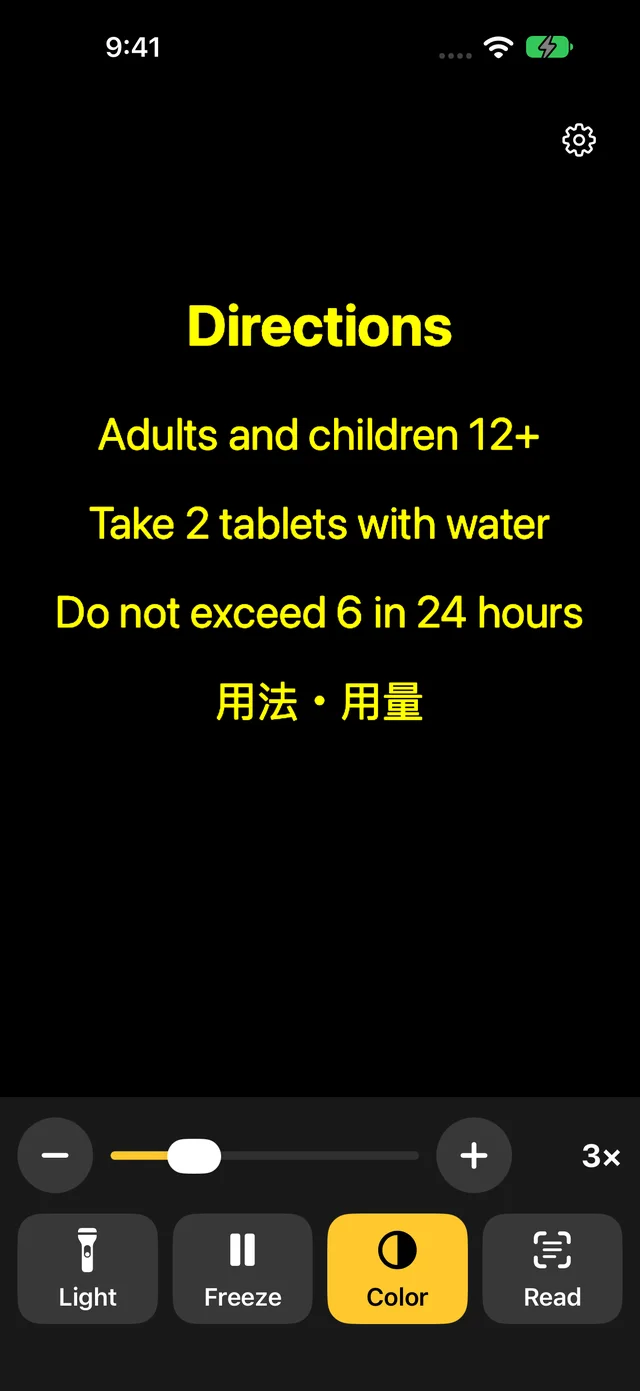
Medicine leaflets are printed small on thin, folded paper, and the text on the back often shows through. Held in your hand, even a slight tremor makes the words wobble.
With Temoto Magnifier, tap Freeze first, then spread two fingers to enlarge the part you want. Reading one heading at a time, such as Directions, Warnings and Ask a doctor, keeps you from losing your place.
Recognized text is never sent anywhere, so nobody else learns which medicines you take.
How to
- Lay the leaflet flat on a table in good light.
- Open Temoto Magnifier and hold it over the Directions heading.
- Once it's in focus, tap Freeze, then spread two fingers to zoom further.
- Tap Read to see the text in large type, then Read all aloud to hear it too.
- To keep it for later, tap Save on the frozen view to put it in Photos.
Tips for easier reading
- Turn on the light
Inside a medicine cabinet or at the bedside at night it's often dim. Light helps you read and helps the camera focus.
- Try yellow on black
If white paper feels too bright, tap Color for White on black or Yellow on black. Thin text looks bolder.
- Freeze, then zoom
The higher the zoom, the more any shake shows. Freeze first and pinch to zoom; the text stays still.
- Check numbers by ear
Hearing "1 tablet, 3 times a day" read aloud helps you catch a misread number.
Text recognition can make mistakes. Always check doses and times on the magnified view itself. If in doubt, ask a pharmacist or doctor.
Questions
Can it read pharmacy labels and printed instructions too?
Yes. Pharmacy bags, labels and printed instruction sheets work the same way: freeze, zoom and read aloud. Printed text is recognized; handwritten notes may not be.
Are my medicine names ever sent anywhere?
No. Recognition and speech happen on your iPhone, and neither images nor text leave it. Temoto Magnifier has no server and no account.
The print is so small that Read doesn't recognize it well.
If you're too close, the camera can't focus. Move back a little, zoom in, and tap Read once it's sharp. Reading one section at a time works better than the whole leaflet at once.
Temoto Magnifier is a free iPhone app. Removing ads is a one-time purchase.